Elementor V4 introduced a more advanced design system with Variables and Classes, giving designers greater flexibility and scalability.
In this guide, you’ll learn how to effectively sync Elementor V4 Variables and Classes with V3 Global Styles to keep your design consistent across versions.
Why Sync V4 with V3?
If you’re working on a site that mixes both systems, syncing ensures:
- Consistent colors and typography across all pages
- Easier maintenance of legacy designs
- Smooth transition from V3 to V4
- Avoidance of styling conflicts
Sync V4 Variables → V3 Global Colors
Steps:
- Open Variables Manager
- Click the three dots (⋮) next to the variable
- Choose: Sync to Global Colors”
- Click Save Changes
The variable will be appears as one of global colors.
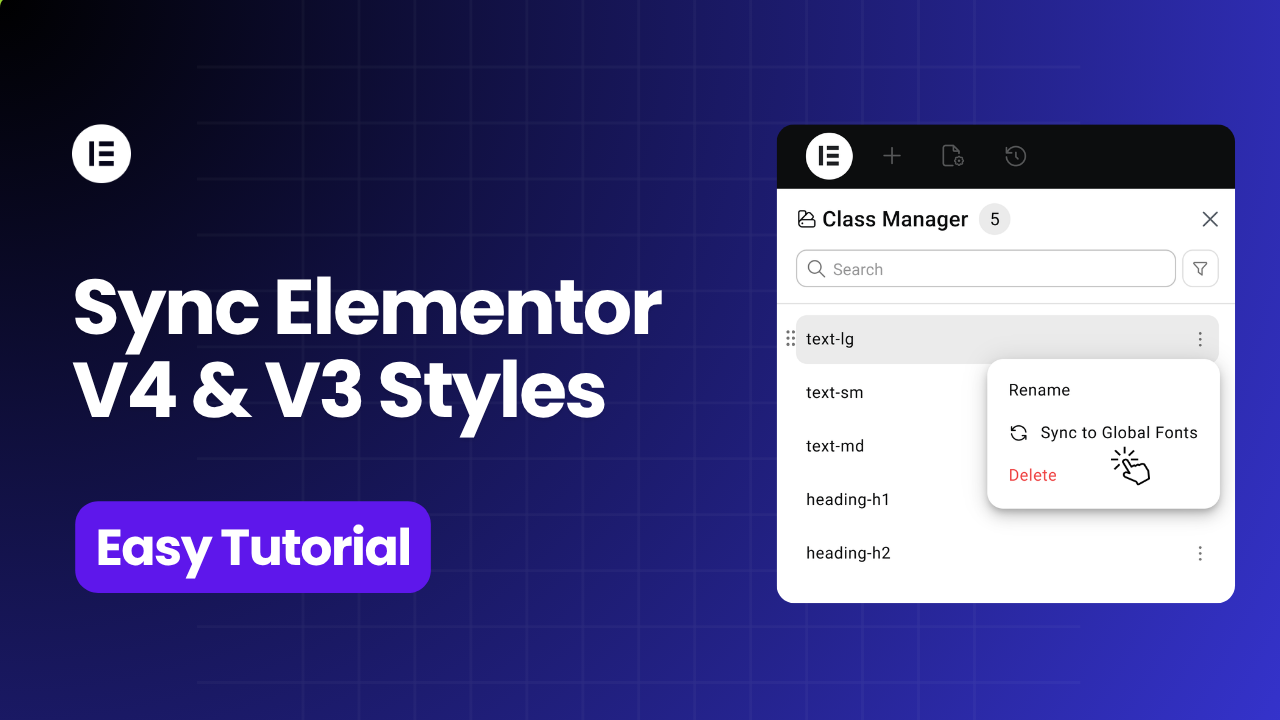
Sync V4 Classes → V3 Global Fonts
Steps:
- Open Class Manager
- Click the three dots (⋮) next to the class
- Choose: Sync to Global Fonts”
- Click Save Changes
The class style will be appears as one of global fonts.